$ watcher --self-hosted --open-source
Know who did what, on every machine
Screen recording for Windows and Linux, keystroke-level console and SSH audit, corporate Android device telemetry — one server, one web console, your hardware.
Why Watcher
Answers from a recording, not from guesswork
Who logged into that server at 3 a.m., and what did they type? What was on the operator's screen when the incident happened? Which contractor ran rm -rf over SSH?
Runs entirely on your infrastructure
No cloud, no telemetry, no external accounts. A single Linux server with Docker is enough.
Records only what changes
Motion detection keeps idle desktops from filling the disk; retention and quotas are enforced on both ends.
Hard to switch off quietly
Protected agents can be stopped or removed only by a signed command from the server.
Built for administrators
Install the server in one command, deploy agents with MSI/GPO or .deb/.rpm, manage everything from the browser.
Features
Everything an audit needs, in one place
Agents for workstations, terminal servers, Linux hosts and corporate phones report to a single server you control.
Screen recording
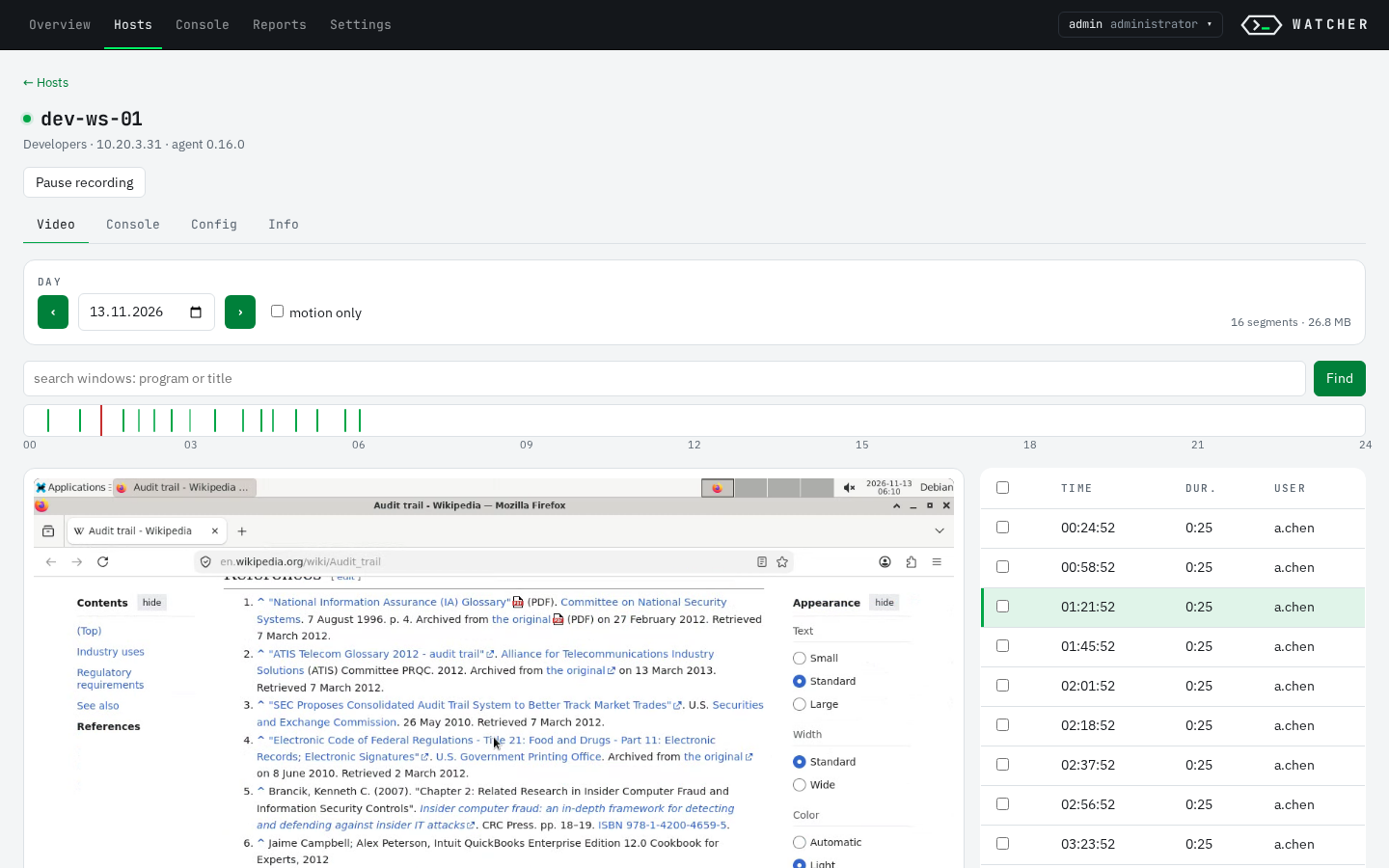
Windows — every user session, including RDS and terminal servers — and Linux (X11). Motion-triggered MP4 segments with pre-roll, active window and browser domain tracking.
Console & SSH audit
Linux: input and output of interactive shells, SSH sessions without a TTY (auditd), scp and automation. Windows: PowerShell transcripts labelled by origin.
Android, corporate devices
Device-owner agent: app usage, installs and removals, network and security logs, optional consent-based screen recording.
Web console
Per-host timeline with a seekable player, search across console sessions on all hosts, fleet registry, reports with drill-down, CSV and MP4 export.
Access control
Roles admin, operator, viewer; viewers scoped to host groups; LDAP / Active Directory login; audit log of every action (CEF/syslog).
Agent protection & updates
Signed agent updates rolled out per group with automatic rollback, tamper-resistant service, diagnostic archives on request.
Screenshots
A console made for investigations
Jump from a fleet-wide overview to a single SSH session and the exact keystrokes behind it.
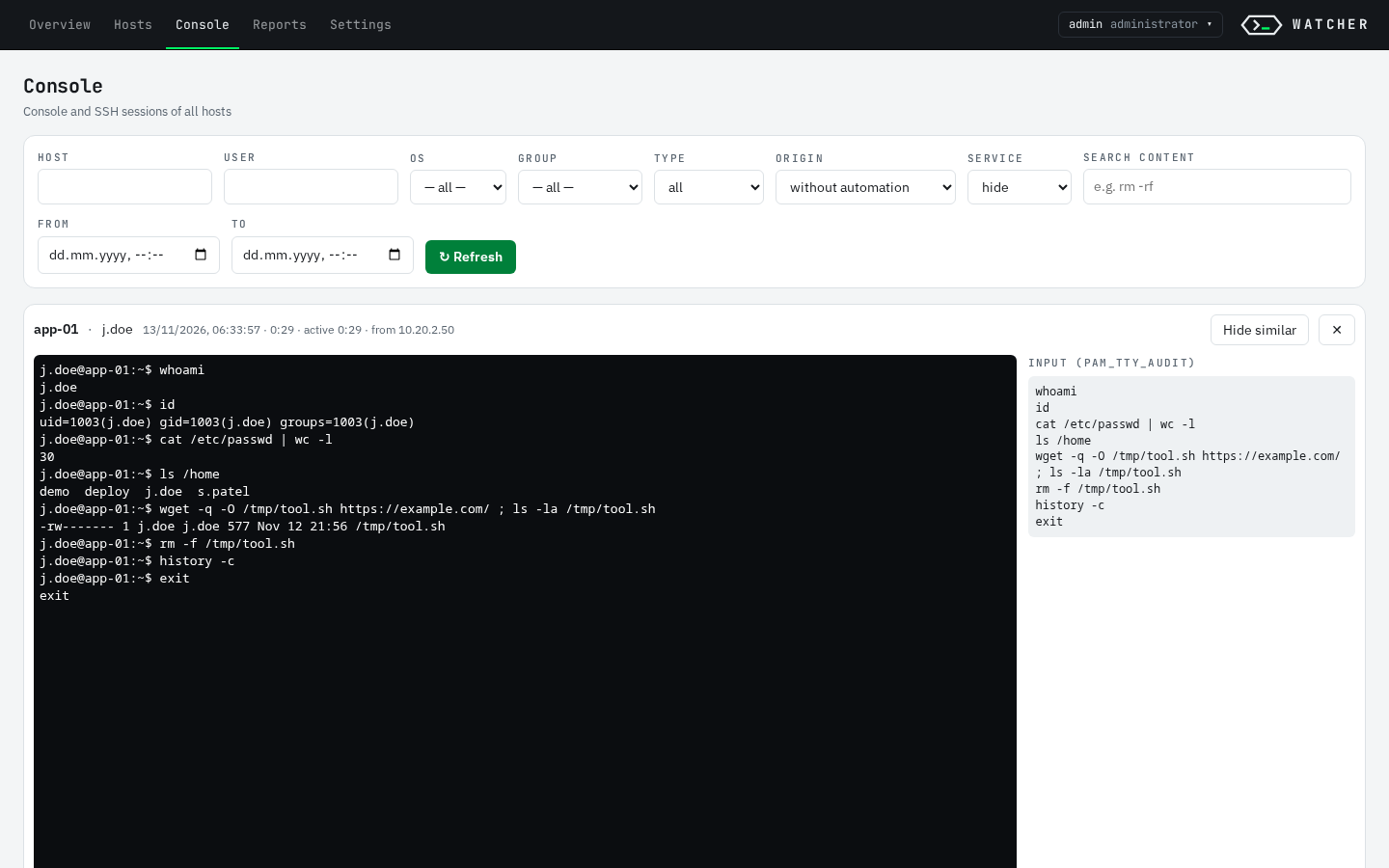
pam_tty_audit.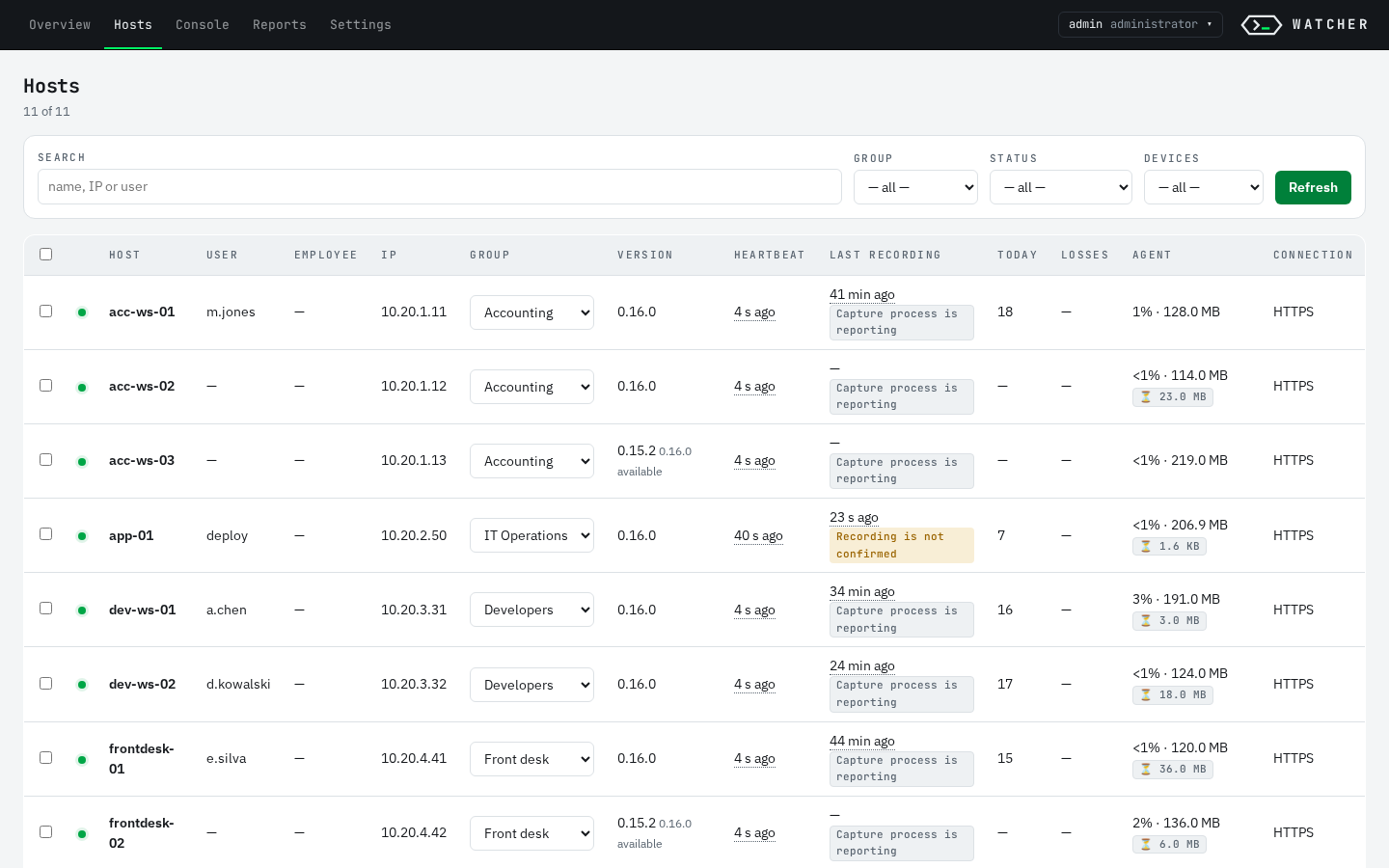
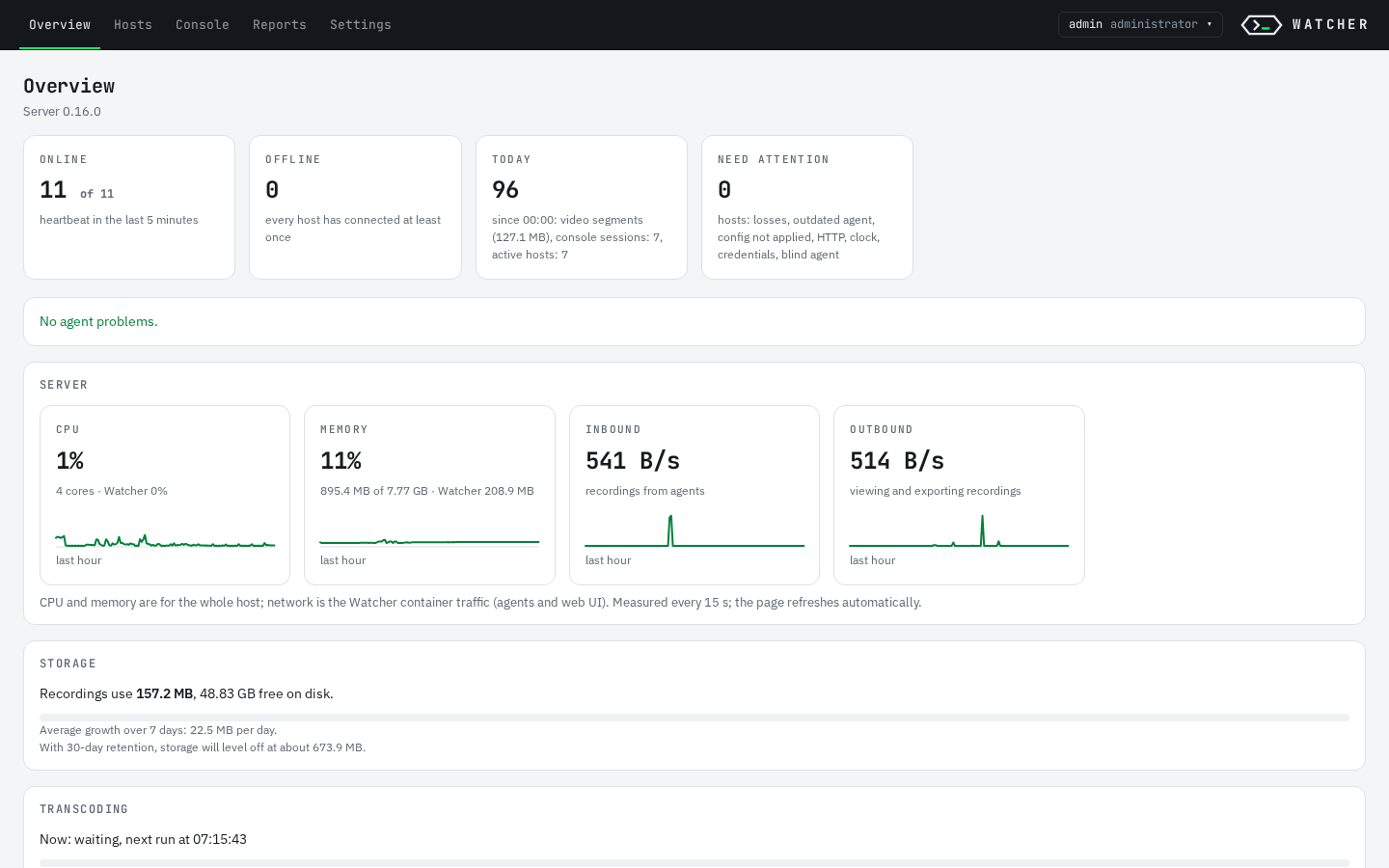
Screenshots use a synthetic demo fleet on a clean install; host names, users and addresses are made up.
How it works
Agents record locally, the server keeps the evidence
Everything travels over HTTPS to one server inside your network. No component calls home.
Agents buffer recordings in a local queue and upload them when the server is reachable, so a network outage does not lose data. Details: architecture.
Quick start
Server in one command, agents from the console
The release archive contains the server images and ready-built agents — no SDK or internet access is needed on the server.
-
Install the server
On a Linux host, download
watcher-server-X.Y.Z.tar.gzfrom the latest release and run the installer.bash$ tar -xzf watcher-server-X.Y.Z.tar.gz && cd watcher-server-X.Y.Z $ sudo ./install-server.sh --domain watcher.example.internal
The installer starts the server with HTTPS, generates the CA and signing keys, builds an agent kit preconfigured for this server and prints the initial
adminpassword. No Docker? It offers to install Docker Engine, or use--systemd. -
Deploy agents
From Settings → Agent installation in the web console:
- Windows —
watcher-agent.msi: double-click,msiexec /qnor GPO, no parameters. - Linux — unpack
watcher-agent-linux-<version>.tar.gzand runinstall.sh(.deb/.rpm). - Android — provisioning kit for device-owner enrollment.
- Windows —
-
Verify what you install
Releases are built in CI;
SHA256SUMSis signed keyless with Sigstore cosign, SBOMs are attached.bash$ cosign verify-blob SHA256SUMS --bundle SHA256SUMS.sigstore.json \ --certificate-oidc-issuer https://token.actions.githubusercontent.com \ --certificate-identity-regexp '^https://github.com/dfmjteh-dev/watcher-audit/\.github/workflows/release\.yml@refs/tags/v' $ sha256sum -c SHA256SUMS --ignore-missing
Documentation
Read before you deploy
Detailed documentation is currently in Russian; the web console is available in English and Russian.
install.md
Server (Docker or systemd), agents, keys
configuration.md
Every server and agent setting
operations.md
Updates, backup, monitoring, troubleshooting
data-collected.md
What is recorded — for security, legal and HR teams
agent-protection.md
Tamper resistance and its limits
CHANGELOG.md
What changed and how to upgrade
License
Open source, with a commercial option
Watcher is dual-licensed. Running it inside your own organisation is free.
Free to use, modify and self-host
If you distribute a modified version or offer it to others over a network, publish your source code under the same license.
For products, services and support
Embed Watcher in a proprietary product, offer it as a service without publishing changes, or get warranties and a support agreement.
Legal notice
Watcher records user activity. In most jurisdictions employees must be informed, and monitoring must have a lawful basis and a defined purpose (for example GDPR in the EU, Federal Law 152-FZ and the Labour Code in Russia). Deploying Watcher, notifying users and choosing what to record is the responsibility of the organisation that operates it. data-collected.md lists exactly what is collected.